
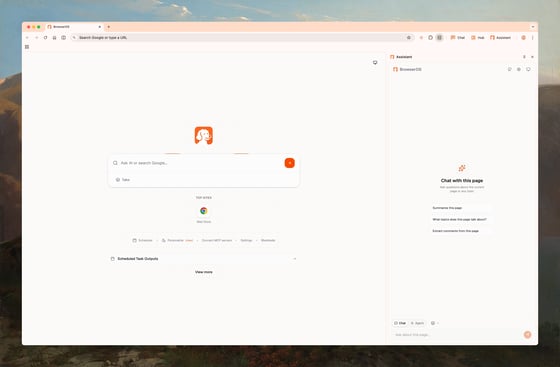
Three Ways to Use AI
Chat Mode
Ask questions about the page you’re viewing. Summarize articles, extract data, translate content—without leaving the page.
Agent Mode
Describe a task and watch AI execute it: clicking, typing, navigating. Automate form filling, data extraction, and multi-step workflows.
Graph Mode
Build reliable, repeatable workflows as visual graphs. Edit steps, save, and run anytime. Coming soon.
Quick Start
1
Install from the Chrome Web Store
Open the Chrome Web Store, search for GreaseClaw, and click Add to Chrome. Pin the extension so it is easy to open.
2
Sign in with Google
Sign in with your Google account to unlock the daily free built-in model quota. Open GreaseClaw, choose Sign in with Google, complete sign-in, and return to the extension.
3
Ask questions, run tasks, do anything
Open any webpage and start using GreaseClaw: ask questions about the page, run tasks with click/type/navigate automation, or handle research, forms, and multi-step workflows. That is it—install, sign in, and use it. Full walkthrough: Getting Started.
Which AI Model Should I Use?
- For Chat Mode
- For Agent Mode
Any model works great, including local LLMs.
- Ollama or LM Studio — Free, runs locally, great for quick questions
- Gemini Flash — Fast and affordable
- Claude or GPT-4 — Best quality responses
Why GreaseClaw?
Privacy-First
Run AI locally with Ollama, or bring your own API keys. Your browsing data never leaves your machine unless you choose.
Open Source
100% open source under AGPL-3.0. Inspect the code, contribute features, or fork it for your needs.
Works with Your Tools
Built-in MCP servers for Gmail, Calendar, Docs, Sheets, Notion. Connect to Claude Code or Gemini CLI for developer workflows.
Chrome Compatible
All your Chrome extensions work. Import bookmarks, passwords, and settings in one click.
Community
Discord
Get help and share feedback
GitHub
Star us and contribute
Follow for updates